
Getting the Android App
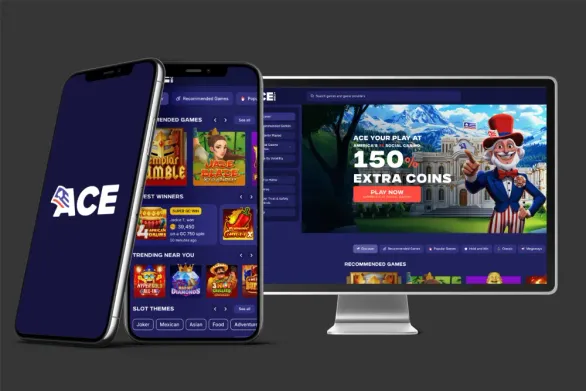
We provide mobile access through our Android app for devices on version 9.0 or higher. The install file is small, around 17 MB, so it hardly touches your storage compared with most casino apps. Since we are not in Google Play yet, you need to download the APK from the official website or another verified source.
Before installing, enable unknown sources on your phone. Open your Security or Privacy settings (name depends on the device), then allow installs from outside the official store. After that, download the APK and tap on it to start. On a modern phone, the whole process usually finishes in under a minute.
There is also a separate app called Ace Slots Casino that you may see on Uptodown. It is only for practice play without real money and is a completely different package.
How to Install APK Files
When the APK is downloaded, look for it in your Downloads folder with any file manager app. Tap the file and a permission window appears, asking for access to storage and the network. Check the permissions and then press Install at the bottom of the screen.
Once it is done, you will see the Ace Casino icon in your app drawer. Open it and either sign up or log in with your existing account. One small safety check: the file size should be about 17.43 MB. If it looks way off, the download probably broke and you should grab a fresh copy.
After installing, it is a good idea to turn off the unknown sources setting again. That way you lower the chance of installing some random unsafe app later.
Setting Up Your Account
Creating an account takes just a short form. We ask for an email, a password, and a few profile details. Make sure you pick the correct province during signup, as this is tied to local regulation. Passwords need at least eight characters with upper and lower case plus numbers, so choose something solid.
Right after you submit, we send a verification email. Click the link inside to activate your account. Sometimes the message ends up in spam, so it is worth checking that folder if nothing arrives within a couple of minutes.
To complete your profile we may request your date of birth, mobile number, and preferred currency. If you plan to deposit in Canadian dollars, choose CAD here. You can also enable two-factor authentication, either through an authenticator app or SMS codes, for an extra layer of protection.
Game Selection
Our app library includes slots, table games and a few specialty titles, if available in your region. Slots take the largest share, from simple three-reel machines to modern video slots with in-game bonus features. On the tables side you will find blackjack versions, roulette, baccarat and other classics adapted for touch controls.
Navigation depends a bit on the version you see: either bottom tabs or a side drawer. Use the search bar to filter by provider or theme. You can mark titles as favourites so they appear quickly the next time you open the app.
Game tiles show the cover art and the provider name. Tap a tile to switch into full-screen mode, with buttons placed for easy thumb reach. Landscape mode usually gives smoother graphics and more space. Some accounts will also see live dealer sections with real-time streams, though availability can change by region and account type.
Funding Your Account
All payments go through the cashier area in the app. For deposits we support credit cards, debit cards, e-wallets, and Interac e-Transfer, subject to availability and local rules. Deposit minimums usually start in the 10-20 CAD range, depending on the method you choose, but this needs verification for the brand.
For card payments you enter the card number, expiry date, CVV and the cardholder name. E-wallet payments redirect you to the wallet website or app so you can confirm the transfer securely. Processing speed depends on the channel:
| Payment Method | Processing Time | Minimum Deposit |
|---|---|---|
| Credit Card | Instant | 10 CAD |
| Debit Card | Instant | 10 CAD |
| Interac e-Transfer | 15-60 minutes | 20 CAD |
| E-Wallets | Instant | 10 CAD |
As soon as a deposit clears, your updated balance appears in the account header. Every transaction gets stored with a timestamp in your history, so you can always check what went in and out.
Withdrawals and Timing
To cash out, open the cashier again and move to the withdrawal tab. In most cases you can use the same type of method as for deposits, with the exception that some credit cards do not support payouts. For Canadian players, Interac e-Transfer and standard bank transfers are often used for withdrawals.
The minimum withdrawal is usually around 20 CAD, subject to verification. Maximum limits depend on both your verification level and the payout method, and they may also vary by jurisdiction. Until you upload your ID and get verified, your withdrawal limits will be set lower.
Once you submit a withdrawal request, we start processing. E-wallets are normally the fastest, while bank transfers need more time to clear. You can follow the status in the transaction history, with labels like Pending, Processing, or Completed. We also notify you by email when the status changes, and the funds reach you when it shows as Completed.